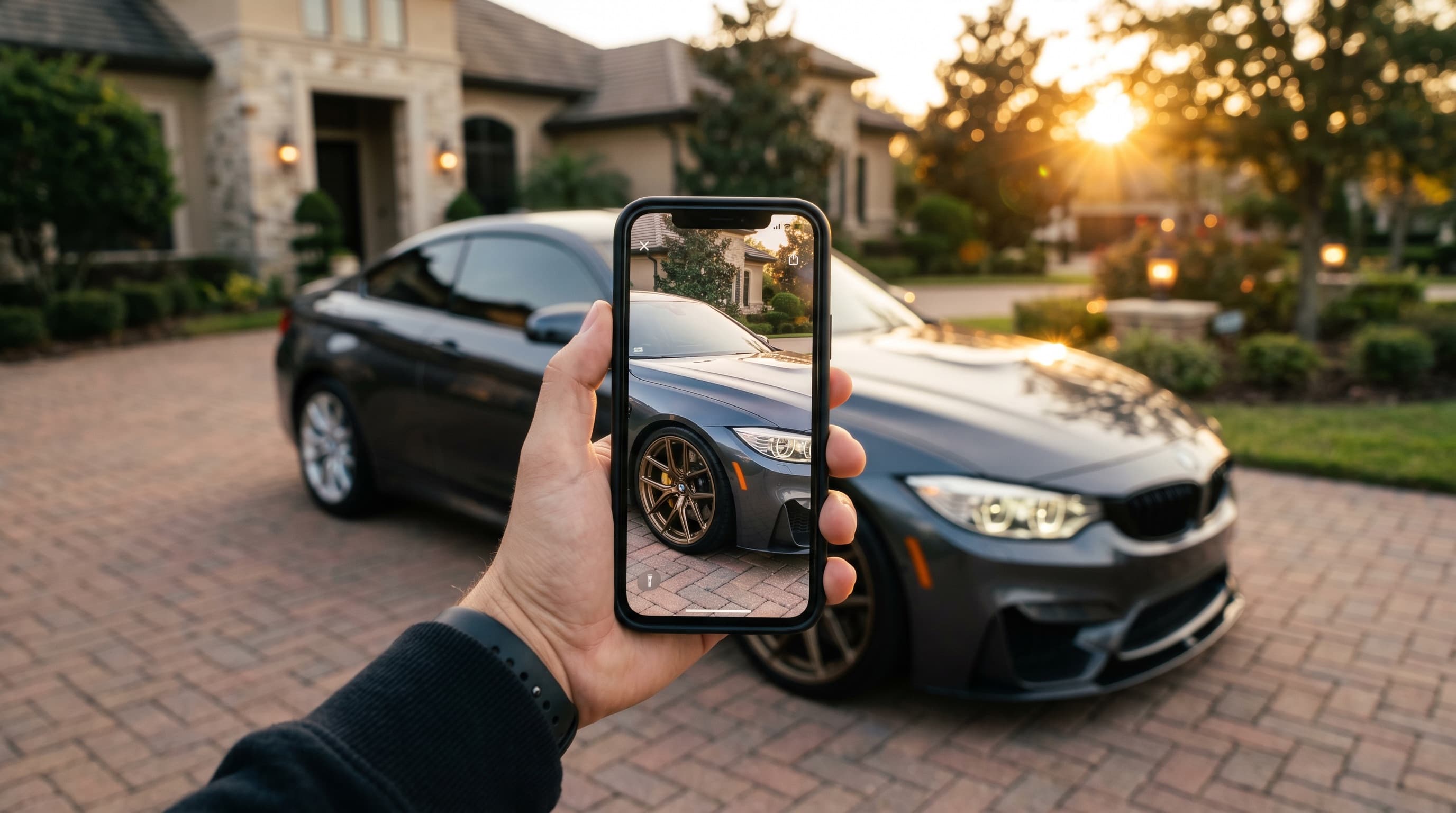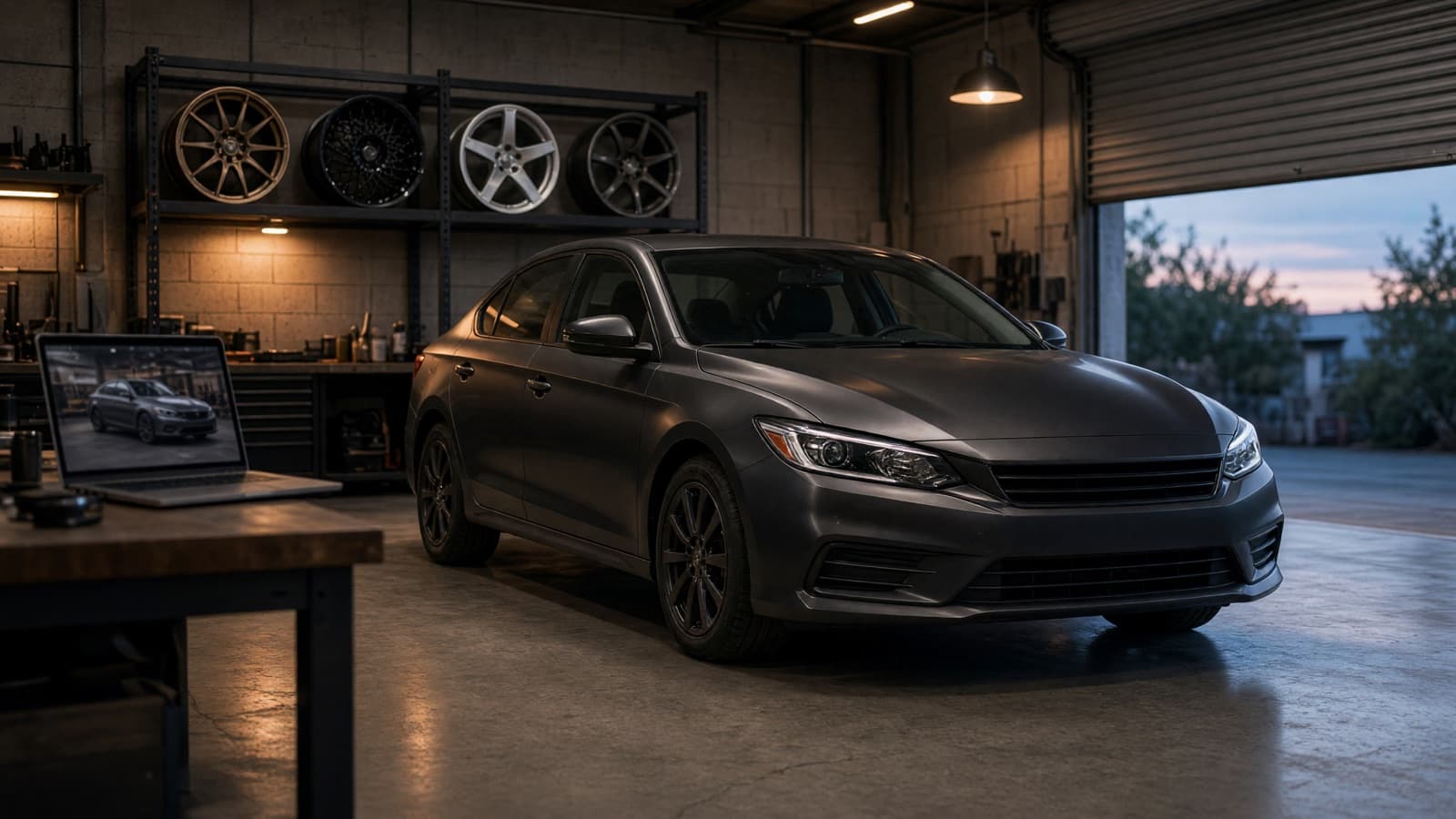
An AI wheel visualizer is accurate most of the time and wrong in very specific ways. In 2,359 wheel renders VizTunr checked between October 12 and 16, 2026, 91.4% of first images showed the ordered wheel's design. The other 8.6% did not: wrong spoke count, wrong spoke shape, or the car's original wheels left in place.
That failure rate is the honest answer to "will the render really show my wheel?" This post shows our numbers, real right and wrong renders from our own pipeline, how we catch the wrong ones before a customer sees them, and what no AI wheel render can tell you.
What "accurate" means for a wheel render
A wheel render is accurate when a shopper would recognize the wheel they ordered. That comes down to five things: spoke count, spoke grouping (single, twin, Y-split or mesh), spoke shape (straight or curved), center type (exposed lug nuts or a single center-lock nut) and lip type (flush or stepped).
Everything else is secondary for the buying decision. Small surface details like grooves or rivets, the exact shade of a finish under different light, and tire sidewall details can drift without changing which wheel it is. They still matter to a picky buyer, and we come back to them below.
What a render cannot be accurate about at all is fitment. An AI model edits a photo. It does not know your offset, your brake calipers or your tire size, so it will happily draw a wheel that would never clear your brakes. More on that further down.
How often AI wheel renders get the wheel wrong
About one first render in eleven, in our production data. Every VizTunr wheel render now goes through an automated check, so we can count the misses instead of guessing:
| October 12-16, 2026 | Renders checked | Failed the check | Rate |
|---|---|---|---|
| All wheel renders | 2,359 | 202 | 8.6% |
| Customer shop storefronts | 459 | 28 | 6.1% |
| Demo shop and prospect previews | 1,900 | 174 | 9.2% |
Those renders covered 892 different wheels, and 163 of them (18%) failed at least once. Two things surprised us. First, the failures are spread out: the 10 wheels that failed most account for only 15% of all failures, so you cannot fix accuracy by blacklisting a few hard wheels. Second, almost one wheel in five failed at least once, which means a shop testing its catalog will probably see a wrong render sooner or later, even if most of its renders come out right.
The check itself takes about nine seconds. A render that passes reaches the shopper in about a minute; one that fails and gets re-rendered takes closer to two.
The ways AI gets a wheel wrong
Spoke count is the number one failure, by a wide margin. Here is what the check flagged in the 202 failed renders. One render can fail for more than one reason, so the bars add up to more than 100%:
- Wrong spoke count (62%). Ten spokes become fourteen, six become five. Image models are good at "a multi-spoke wheel" and bad at counting.
- Wrong spoke shape or grouping (41%). Straight spokes turn curved, twin spokes turn single, a Y-split loses its fork.
- Kept the original wheel (32%). The model changes the color or polishes the face, but it is still the factory wheel. This happens most when the new wheel looks a bit like the old one.
- Wrong center or lugs (16%). A center-lock nut becomes five lug nuts, or exposed lugs disappear under a smooth cap.
- Wrong lip (11%). A deep stepped lip comes out flush, or the reverse.
- Wrong depth (4%). The face is far more concave than the real wheel.
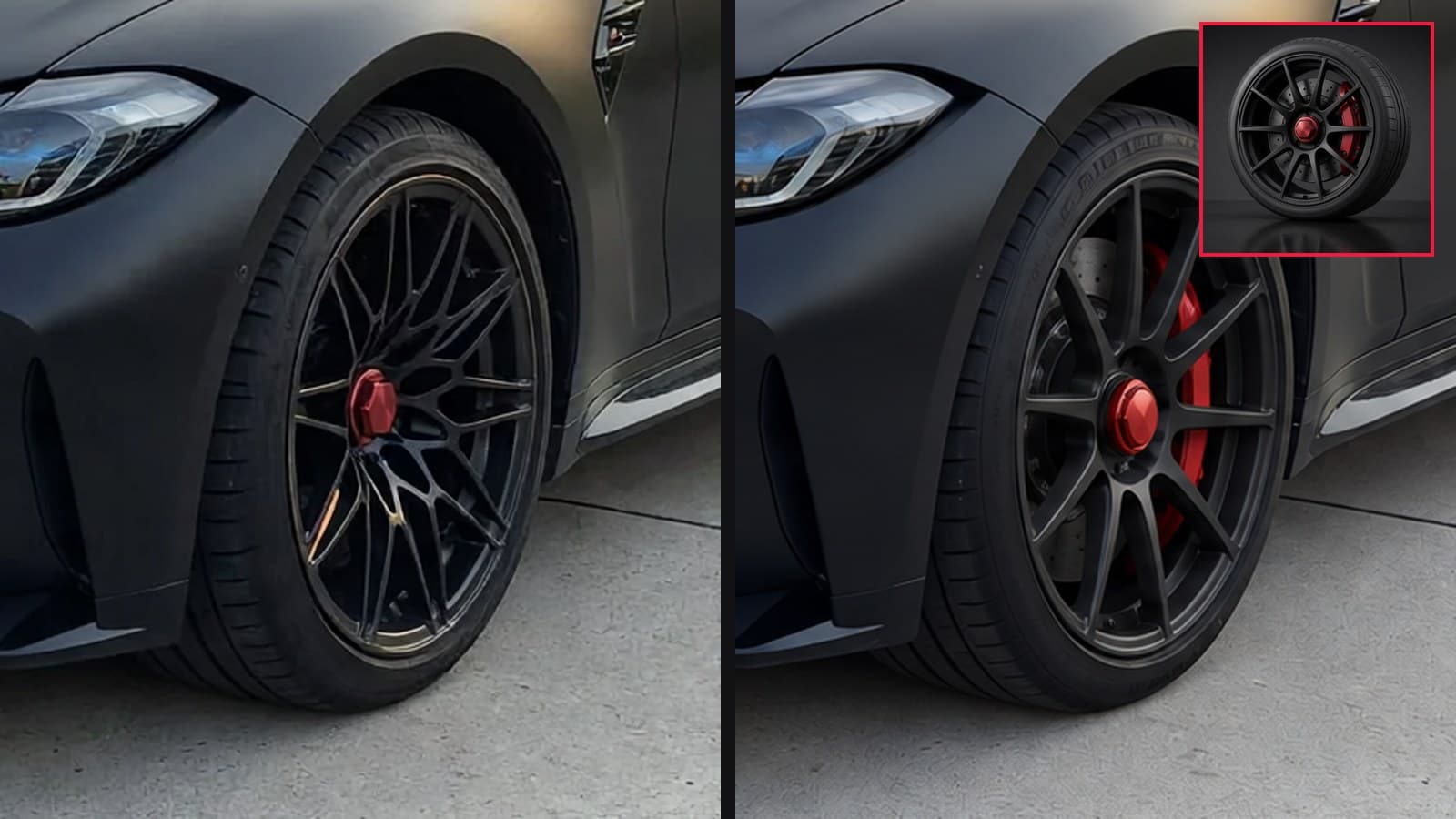
Here is what those failures look like. These are real renders from our pipeline, run on our own car photos and wheels (more on that below). In each strip: the ordered wheel, the fast model's first render, and the re-render after the check failed it.
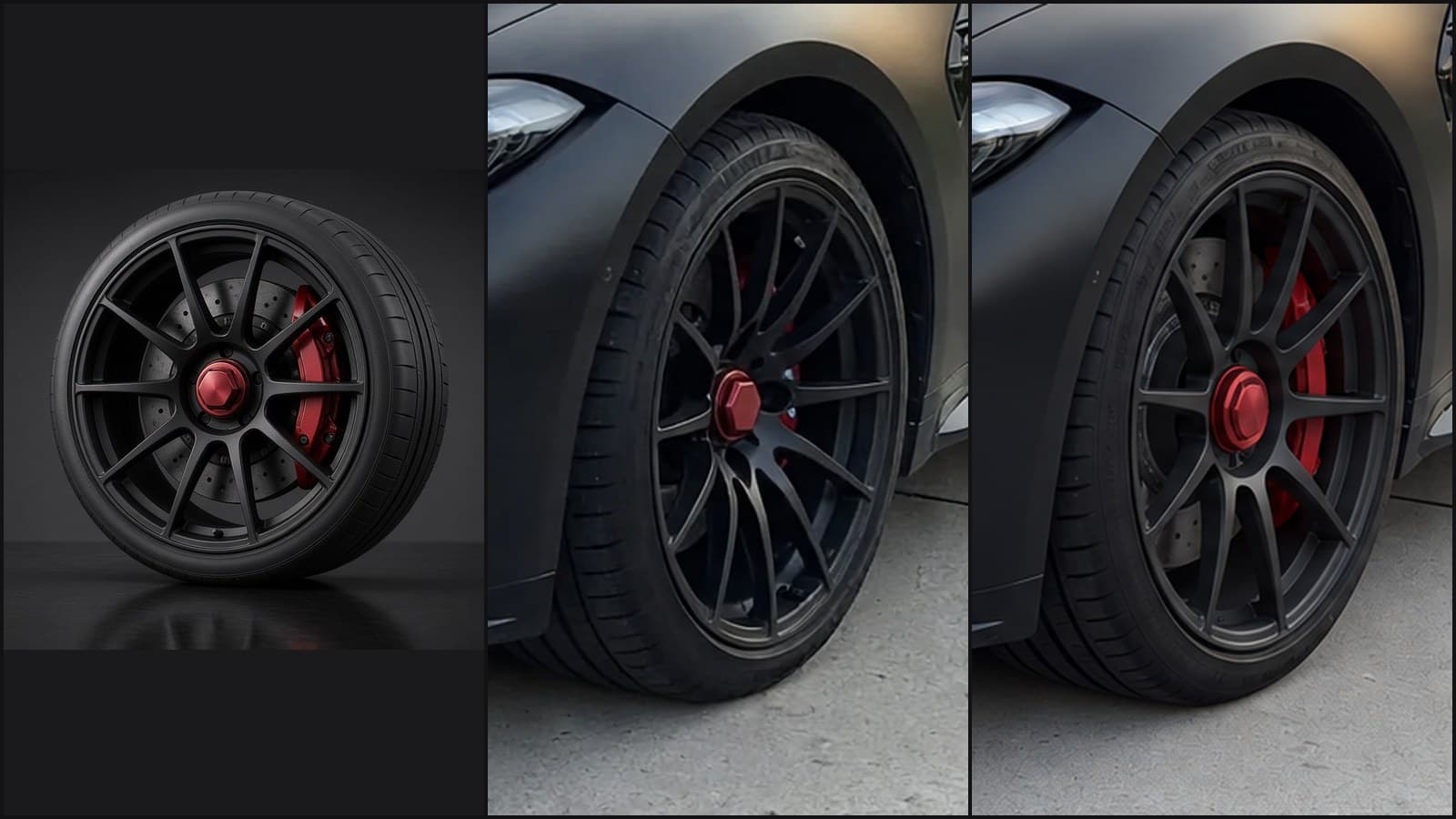
Spoke count and shape: the ordered wheel has ten straight spokes. The first render drew 14 to 15 curved ones. The re-render got it right.
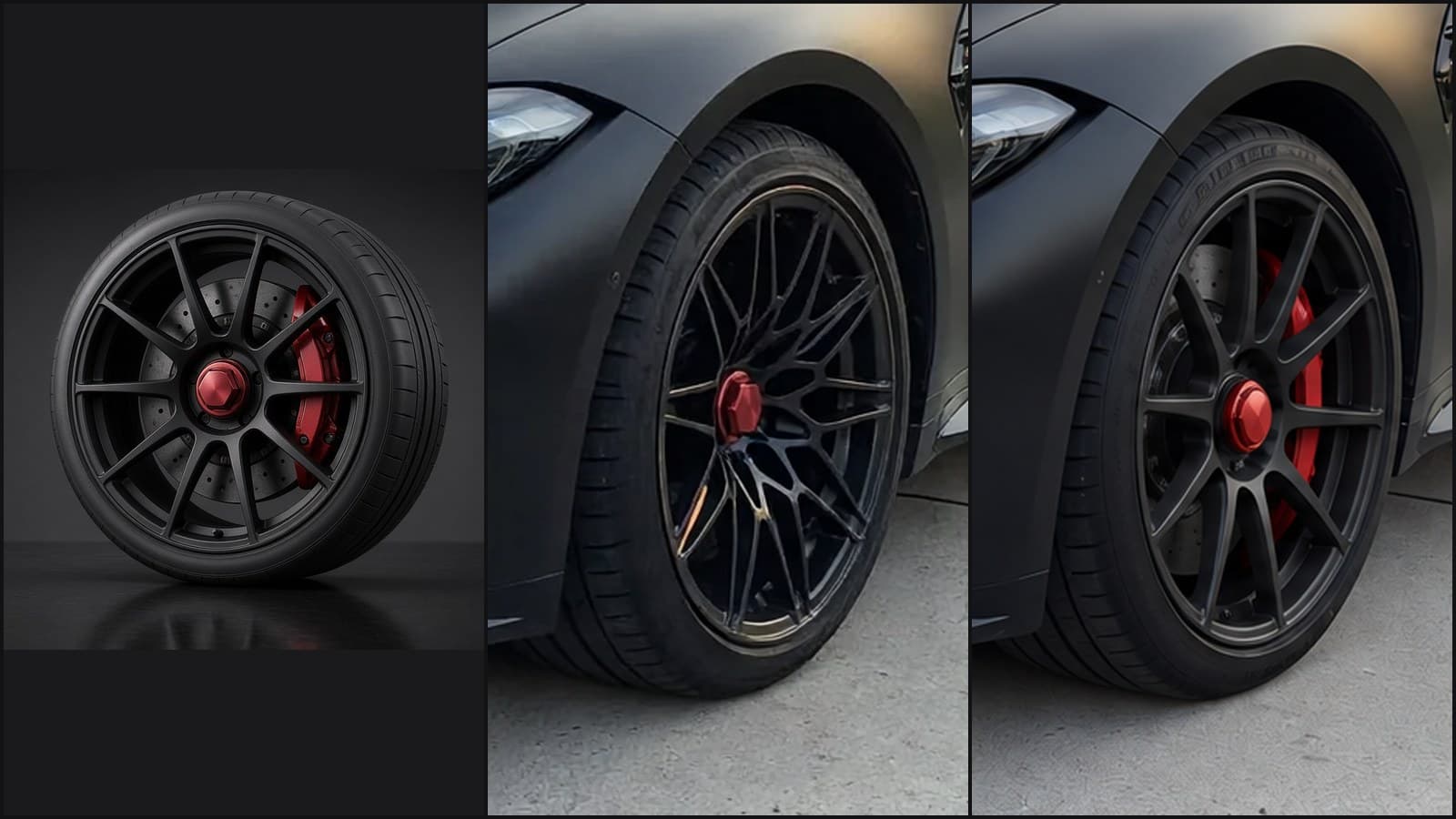
Same wheel, same car, another try: this time the first render invented a mesh design. The center-lock nut and red caliper survived, which is exactly why a render can look convincing at a glance.
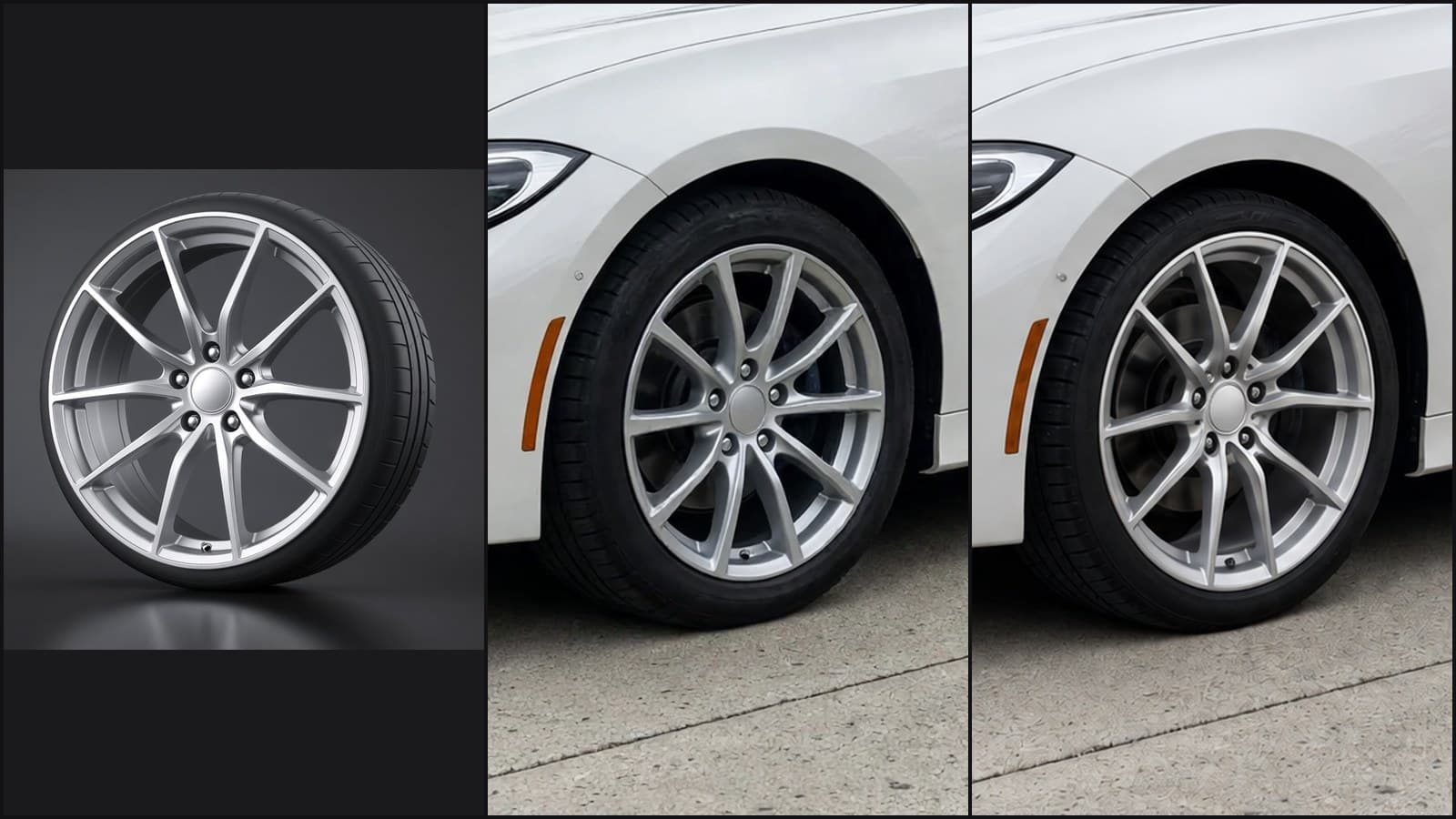
Spoke grouping: the ordered wheel's spokes split wide toward the rim. The first render drew parallel twin spokes, a design much closer to this BMW's factory wheel. The re-render fixed it.
Why the wrong wheel happens
The image model is editing your photo, and your photo already has wheels in it. The original wheel pulls the result toward itself. We learned that the hard way: when our prompt told the image model what the old wheel looked like as well as the new one, the fast model got the new wheel right in only 2 of 8 tries. Describing only the new wheel raised that to 5 of 8. Mentioning the old part primed the model to keep it.
Three more things make a wheel harder:
- Many spokes. Counting is the weak spot, so a 10-spoke or mesh wheel has more ways to go wrong than a 5-spoke.
- A similar factory wheel. A silver multi-spoke on a car that already wears silver multi-spokes is the classic "kept the original" case.
- A hard-to-read reference photo. A wheel shot at a steep angle, half hidden, or tiny in the frame gives the model less to copy. Size and clarity matter more than whether it is a studio shot: in our test, a clear street photo of a wheel on another car worked fine.
To give the model a stable target, VizTunr measures each wheel once before its first render: an AI reads the product photo three times, the spoke layout is decided by majority vote, and that written spec is reused for every render of that wheel. Without it, the same wheel could be "10 spokes" on one render and "12 spokes" on the next.
How we catch the wrong renders
A second AI compares close-ups of the wheels before and after, and anything that fails is re-rendered on a stronger model. The steps:
- When the photo arrives, an AI finds the wheels in it and stores their positions.
- The fast image model renders the new wheels.
- The checker crops the same wheel positions out of the before and after images and compares the after close-ups with the product photo and its spec: spoke count, grouping, shape, center and lip.
- If anything differs, the render goes again on a premium image model that costs about ten times more per image. The shopper only sees the corrected result.
- A wheel that fails twice skips the fast model from then on.
Close-ups were the key. On 64 renders we labeled by hand on October 13, the checker was right 98% of the time when it looked at close-ups and let no wrong wheel through. Shown whole photos instead, it managed 90%. A wheel is a small part of a car photo, and at full size the spokes are a few pixels wide.
The premium model is not just a little better on hard wheels. When we re-ran six renders that shops had flagged as wrong, the premium model got the wheel right in 12 of 12 attempts. The fast model managed about half on the hardest wheel in the set. So why not use the premium model for everything? Because the fast model gets more than nine renders in ten right at a fraction of the price, and checking every render then paying for the premium model only on failures costs less than half as much.
The result shows up where it counts: in complaints. Before the check, shops asked us to refund a render for showing the wrong wheel 7 times in 3,341 wheel renders. In the first 2,371 renders after it, that happened once. Small numbers, but the direction is clear.
What our own test showed
We ran the same pipeline on our own photos and wheels so we could publish real examples. Our production failures are on shoppers' car photos and shops' product images, which are not ours to publish. So on October 16 we took two of our own car photos, a white BMW 3 Series and a matte black M3, and nine wheels we generated ourselves, and pushed them through the exact production steps: wheel spec, prompt writer, fast model, check and fallback.
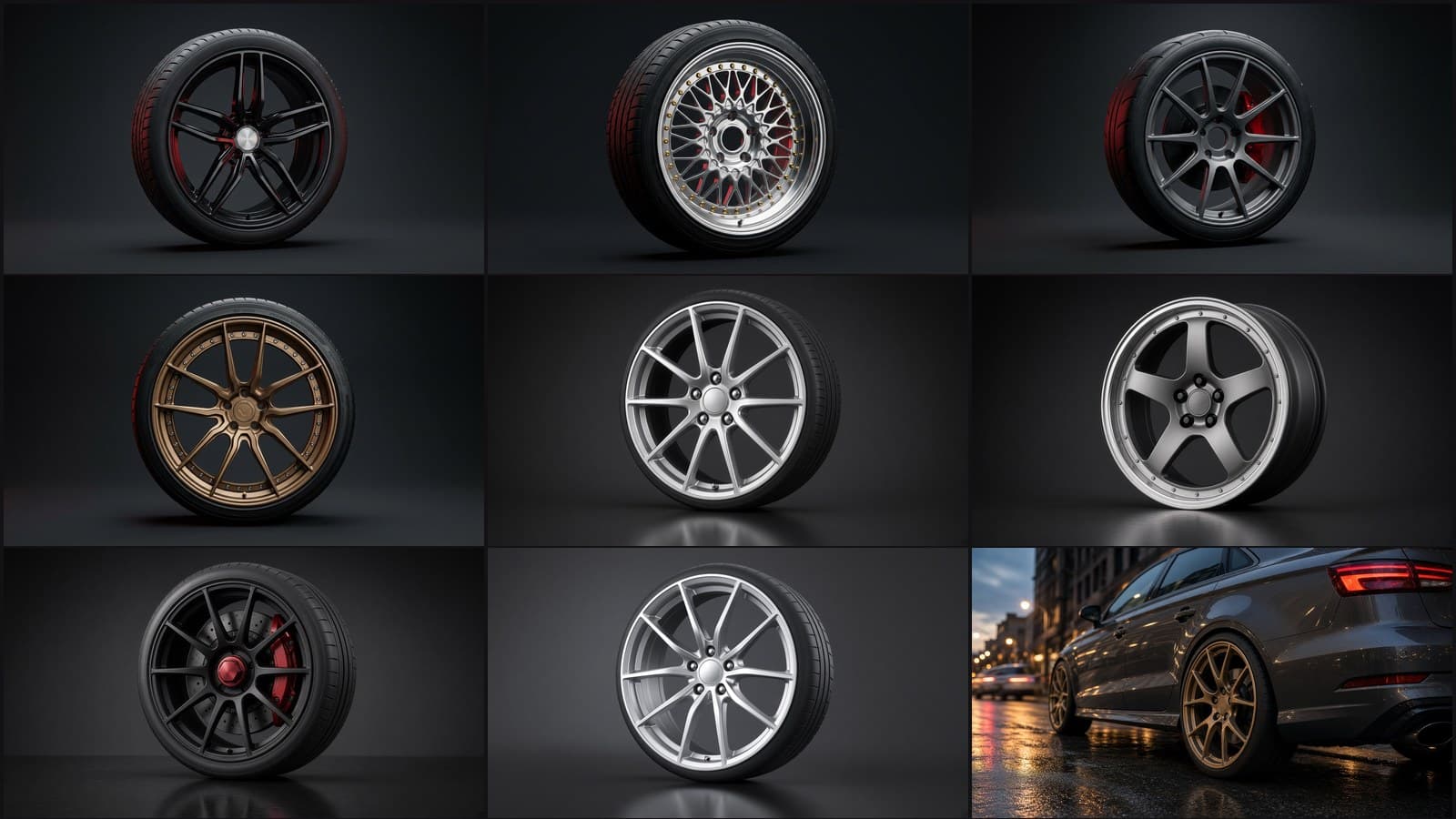
| Our test wheel | What makes it hard | First renders | Failed the check | Fixed by the re-render |
|---|---|---|---|---|
| Four demo wheels (twin, mesh, 10-spoke, split) | Nothing special | 16 | 0 | - |
| Silver split 5-spoke | Ten spoke arms | 4 | 0 | - |
| Gunmetal 5-spoke with a deep stepped lip | Stepped lip, rivets | 6 | 0 | - |
| Black 10-spoke with a center-lock nut | Many spokes, no lug nuts | 14 | 2 | 2 of 2 |
| Silver split-spoke close to the BMW's factory wheel | Looks like the original wheel | 14 | 1 | 1 of 1 |
| Bronze Y-spoke from a street photo of another car | Wheel photographed on a car | 8 | 0 | - |
| Total | 62 | 3 (4.8%) | 3 of 3 |
Three things stood out:
- Our failure rate was lower than production's (4.8% vs 8.6%). Our wheels are clean, clear images; a real catalog has odd angles, busy backgrounds and wheels that look a lot like the cars' own. Expect the production number, not ours.
- Both wheels we designed to be hard did fail, and in the ways the production data predicts: spoke count and shape on the center-lock wheel, grouping on the wheel that resembled the BMW's original.
- The street photo was fine. A wheel shown on another car passed 8 of 8, so a gallery photo can work as long as the wheel is large and clear in it.
Two more renders did not finish because a request timed out; they are not counted above.
We also looked at every passed render ourselves, at full size. The check and our eyes agreed on every design call. What we did spot is exactly what the check is told to ignore: one render dropped the rivets around a stepped lip, and one gave a tire garbled sidewall lettering. Neither changes which wheel it is, but a sharp-eyed customer would notice, which is why we tell shops to look at renders before posting them as marketing photos.
What AI wheel renders can't tell you
Anything about fitment. A render is a styling tool. It cannot tell you:
- Whether the wheel fits. Offset, bolt pattern, center bore and brake clearance come from the spec sheet. Our wheel offset guide explains how much a few millimeters change.
- Exact stance. The render keeps your car's current ride height and fender gap. It does not lower the car or predict poke.
- Tire size and sidewall. The tire is redrawn to look right, not to match a size. Read the sidewall from the quote, not the picture.
- The exact finish shade. Bronze, gunmetal and "hyper silver" shift with the photo's light. A render in shade on an overcast day will not match the showroom.
None of that makes renders less useful. It means the render answers "do I like this wheel on my car?" and the shop answers "will it fit?" Asking a render the second question is how people end up with wheels that rub.
How to judge any AI wheel visualizer
Test it with a hard wheel, then zoom in. Any visualizer looks great on a five-spoke black wheel. Here is a five-minute test for any tool, including ours:
- Pick a 10-spoke or mesh wheel whose product photo is clear and straight-on.
- Use a car that already has a similar wheel. Silver multi-spokes on a car with silver multi-spokes is the hardest case.
- Render it three times. One good render proves little; AI output changes from run to run.
- Zoom in on one wheel and count. Spokes first, then grouping, center and lip.
- Ask the vendor what happens when the render is wrong. Is there a check? A re-render? A refund? If the answer is "the customer can try again," your shop's customers are the check.
How to get a more accurate render
Give the model a clear view of both the car's wheels and the new wheel. The two photos decide more than the model does:
- Car photo: side or three-quarter view, whole car in frame, wheels fully visible, even daylight. Avoid steep angles where the far wheels are slivers.
- Wheel photo: the whole wheel visible, face-on or slightly turned, and large in the frame. A clean product shot is easiest; a clear photo of the wheel on another car works too.
- One wheel at a time. Compare finishes side by side instead of asking for several changes in one render.
See it on your own car
The only test that matters is your car with your wheel. Try any wheel on our free wheel visualizer or browse the demo shop, no account needed, and zoom in on the result. Every render goes through the same check described above.
If you sell wheels, the virtual try-on guide for tuning shops covers how shops put this on their own site, and pricing is public.
AI Wheel VisualizerWheel VisualizerAI Car RenderingVirtual Try-OnTuning Shop
October 16, 2026 · 15 min readCategory: Try-It-On
Explore related